Elementor Atomic Elements
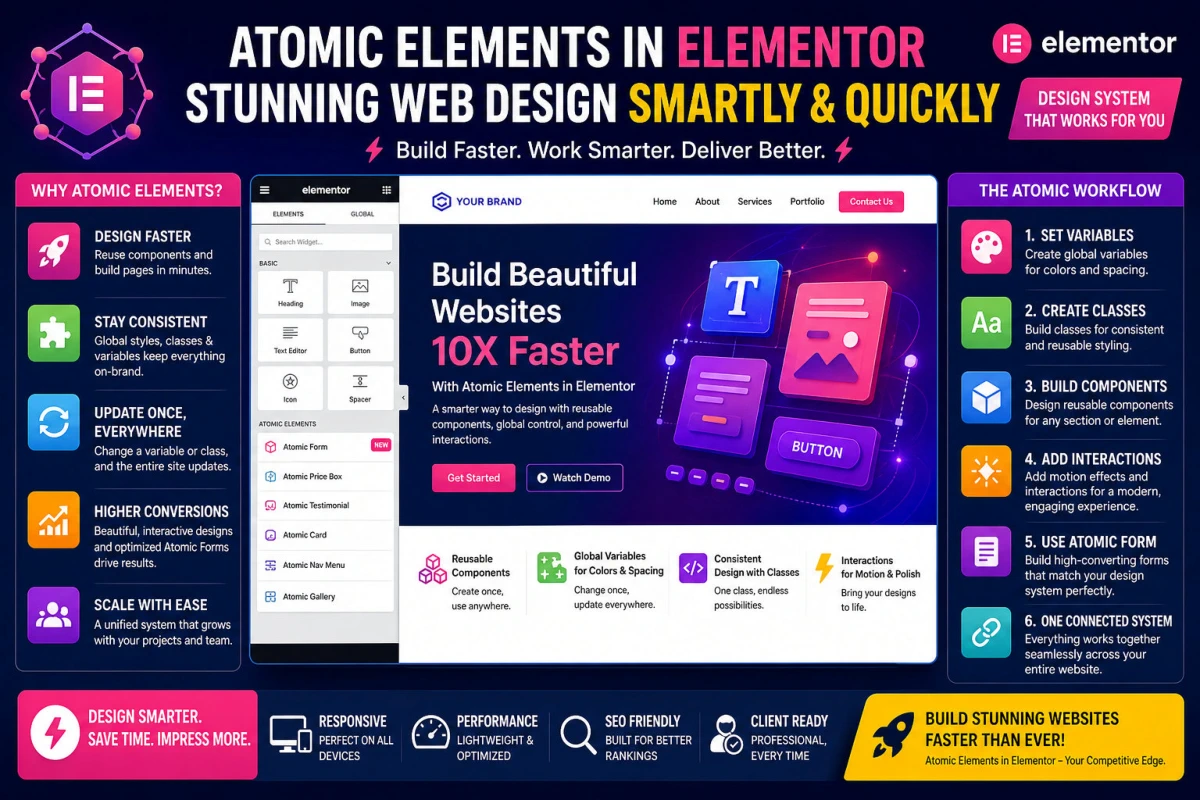
Web Design Made 10X Faster
Atomic Elements in Elementor
Use Elementor Atomic Elements for Faster Web Design
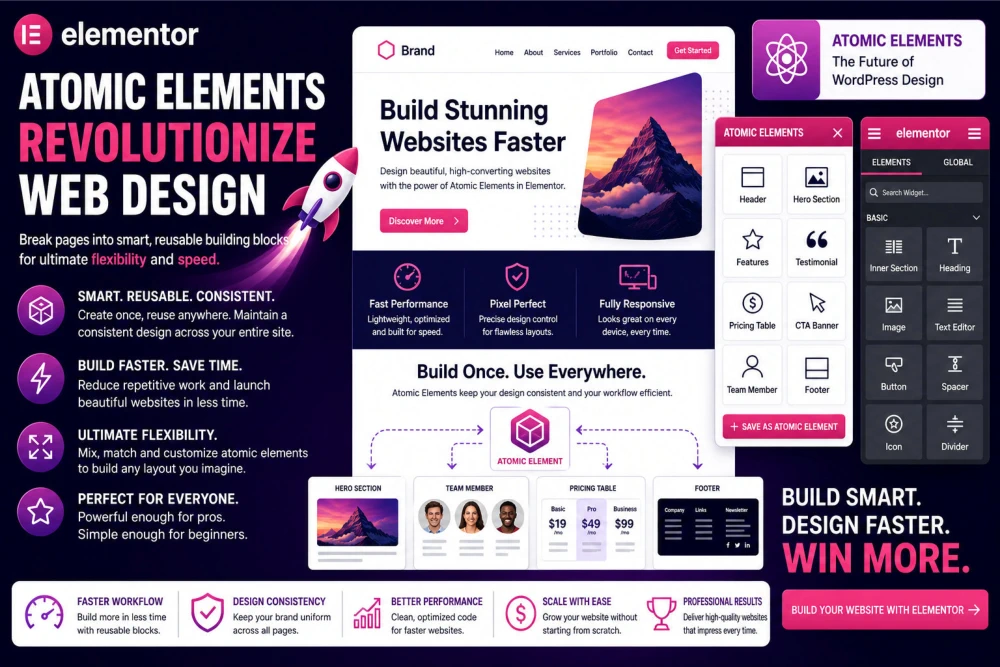
Build an Awesome Website For Free with Elementor Build a wordpress website with Elementor’s Free Plugin that revolutionizes web design by transforming the way you build websites by turning every section, widget, and style into smart, reusable building blocks. Instead of redesigning elements repeatedly, you create once and deploy everywhere, saving time while maintaining flawless consistency. Whether you are crafting landing pages or full websites, Atomic Elements streamline your workflow, reduce errors, and give you total design control. Update a single component and watch changes reflect across your entire site instantly. Perfect for beginners and professionals alike, it empowers you to build faster, scale effortlessly, and deliver stunning, pixel-perfect pages with minimal effort. Web design made smarter, work faster, and elevate your web creation experience with Atomic Elements at the core.
What Are Atomic Elements in Elementor and Why They Matter
If you’ve ever built a website using Elementor, you already know how powerful drag-and-drop we design can be. But Atomic Elements take that experience to a completely new level by breaking web design into its smallest, reusable building blocks. Instead of thinking in terms of entire sections or pages, Atomic design encourages you to work with micro-components like buttons, headings, icons, cards, and layouts, that can be combined effortlessly. Imagine building a full homepage for your website like assembling LEGO pieces rather than carving it out from scratch. For example, instead of recreating a pricing section every time, you design a single “pricing card” once and reuse it across pages. This approach doesn’t just save time; it transforms your entire workflow into something faster, cleaner, and far more scalable, especially for freelancers or agencies handling multiple client websites simultaneously.
Understanding the Atomic Design Philosophy in Elementor
Atomic Elements are inspired by the atomic design methodology in web
design, where
every interface is built from smaller components. In Elementor, this
translates into creating reusable widgets, global styles, and templates
that function like atoms, molecules, and organisms. Think of a simple
button as an “atom,” a call-to-action box as a “molecule,” and a full
landing section as an “organism.” When you design this way, consistency
becomes effortless. For instance, if you update the color or typography
of a global button, it instantly updates across your entire website.
This is especially powerful when managing large web design projects. Imagine a
corporate website with 40 pages; changing button styles manually would
take hours, but with atomic elements, it’s done in seconds. This
systematic approach not only accelerates your web design workflow but also ensures
a polished, professional design language across every page without
repetitive manual adjustments.
Build an Awesome Website For Free with Elementor
How Atomic Elements Speed Up Your Web Design Workflow
Speed is where Atomic Elements truly shine. Traditional web design often involves copying, pasting, and tweaking sections repeatedly. With atomic design in Elementor, you eliminate redundancy by creating once and reusing everywhere. For example, let’s say you’re building a service website with multiple service pages. Instead of designing each page individually, you create a reusable service section component and simply swap out content. This reduces hours of work into minutes. Additionally, global widgets ensure that updates propagate instantly across the site. If a client requests a web design change; like increasing button size, you don’t need to hunt through every page. One edit updates everything. Atomic Elements feature in Elementor dramatically improves turnaround time, especially for professionals managing tight deadlines. The result is not just faster web design, but smarter Web design that minimizes effort while maximizing output quality and consistency.
Building Your First Atomic Element Structure in Elementor
Getting started with Atomic Elements is simpler than it sounds. Begin by identifying commonly used components in your web design like headers, buttons, testimonial cards, and service boxes. Create these as reusable widgets or templates inside Elementor. For example, design a testimonial card with image, name, and text, then save it as a reusable component. Next, use global styles to define typography, colors, and spacing rules. This ensures that every element follows a consistent design system. When building a page, instead of starting from scratch, you assemble these pre-built components. Imagine constructing a landing page by simply stacking reusable sections like hero banners, features, and testimonials. This type of web design approach not only speeds up your process but also reduces design errors. Even beginners can achieve professional-level consistency because the foundational atomic elements are already optimized and ready to deploy across multiple pages.
How to Set Up Variables for Colors and Spacing
One of the most powerful features
of using Elementor Atomic Elements in your web design, is the ability to define variables for colors and
spacing, turning your web design into a centralized system rather than
scattered styling choices. In Elementor, you can create global color
variables like primary, secondary, accent, and text colors, along with
spacing variables for margins and padding. For example, instead of
manually setting padding to 20px across dozens of elements, you define a
spacing variable once and apply it everywhere using Atomic Elements. If
you later decide to increase spacing for better readability, one update
changes the entire web design, instantly. Imagine working on an eCommerce site where all
product cards share the same spacing, adjusting a single variable updates
the layout consistently across all pages. This eliminates
inconsistencies and dramatically speeds up web design adjustments, making
your workflow not only faster but also far more precise and
professional.
Build an Awesome Website For Free with Elementor
Create Classes for Consistent Styling Across Atomic Elements
Creating classes is where Atomic Elements start to feel like a true design system. Instead of styling each widget individually, you assign classes that define consistent properties such as typography, colors, and spacing. For example, you might create a class called “primary-button” with specific font size, background color, and hover effect. Every time you apply this class to a button, it inherits those styles automatically. If a client later wants a color change, you update the class once, and all buttons update instantly. Imagine designing a blog with dozens of posts, using classes ensures every heading, paragraph, and button looks consistent without manual adjustments. Thus Atomic Elements in Elementor not only saves time in web design, but also eliminates design errors. Classes bring structure and scalability to your workflow, making it easier to manage large websites while maintaining a clean, professional appearance throughout every page.
Build Reusable Components for Faster Web Design Process
Reusable components are the backbone of Atomic Elements in Elementor. These are pre-designed sections or widgets that you can use repeatedly across your website. For example, you can create a testimonial block, save it as a component, and reuse it across multiple pages. Instead of redesigning it each time, you simply drag and drop the saved component. Imagine building a landing page with a hero section, features grid, and testimonials; all created once and reused across different campaigns. This dramatically reduces web design time and ensures consistency. Even better, when combined with global settings, these components become dynamic. If you update the web design of a testimonial component, it reflects everywhere it is used. This approach is especially valuable for agencies managing multiple clients, as it allows them to build websites faster while maintaining high-quality design standards without repetitive effort.
Add Interactions for Motion and Professional Polish
Atomic Elements are not just about structure. They also enable smooth, engaging interactions that elevate your web design. Elementor allows you to add motion effects, hover animations, and scroll-based interactions to your components. For example, you can create a button that subtly enlarges on hover or a card that reveals additional information when clicked. These small touches make your website feel modern and interactive. Imagine a portfolio website where images animate into view as users scroll; it instantly creates a premium user experience. The beauty of Elementor Atomic Elements is that you can apply these interactions at the component level. Once defined, every instance of that component inherits the same animation, ensuring consistency across your web design project. This saves time while maintaining a polished, professional look that keeps users engaged and encourages them to explore further.
Use the New Atomic Form for Higher Conversions
The new Atomic Form feature in Elementor is designed to maximize conversions while staying fully integrated with your web design system. Instead of building forms from scratch each time, you create a reusable form component that follows your global styles and classes. For example, you can design a contact form with consistent input fields, button styles, and spacing, then reuse it across landing pages, popups, and contact sections. Imagine running multiple marketing campaigns, each page can use the same optimized form without additional design work. If you need to tweak the form design or improve usability, a single update applies everywhere. This method of web design not only saves time but also ensures a consistent user experience. More importantly, a well-designed, consistent form builds trust with users, increasing the likelihood of conversions and making your website more effective as a business tool.
Keep Everything Connected Through One Unified System
The true power of Atomic Elements
powered web design of keeping everything connected through a single, unified system.
Variables, classes, components, and interactions all work together
seamlessly. Instead of treating each page as a separate entity, your
entire web design becomes a cohesive ecosystem. For example, a color
variable connects to classes, which are applied to components, which
include interactions and forms. Changing one part of the system updates
everything else automatically. Imagine managing a large website with
dozens of pages; this interconnected system ensures consistency without
constant manual checks. Atomic Elements also makes scaling your web
design effortless. Adding new
pages to your website becomes as simple as assembling existing components. This level of
integration transforms web design from a repetitive task into a
streamlined process, allowing you to focus on creativity and strategy
rather than technical details.
Build an Awesome Website For Free with Elementor
Real-World Example: Creating a Business Web Design Faster
Consider a small business owner who needs a website with a homepage, about page, services, and contact page. Without Elementor Atomic Elements, each page might take hours to design individually. With atomic web design, you start by creating core components like a hero section, service cards, and contact forms. Once these are ready, you reuse them across all pages. For example, the same service card design can be used on both the homepage and the services page, ensuring visual consistency. If the client later wants to change the color scheme, you simply update the global settings, and the entire website adapts instantly. This not only saves time but also impresses clients with quick revisions. Web design that normally take two days can be completed in a few hours using Elemento, making Atomic Elements a game-changer for freelancers who want to deliver faster without compromising on quality.
Benefits of Using Atomic Elements in Elementor
The benefits of Elementor Atomic Elements in your web design, go far beyond speed. First, they ensure design consistency across your entire website. Every button, heading, and section follows the same style guidelines, creating a cohesive user experience. Second, they improve scalability. As your website grows, you can easily add new pages using existing components. Third, they reduce maintenance effort. Updating your web design become effortless because changes to global elements reflect everywhere instantly. For example, updating a font style once in the global atomic elements, updates the entire website. Fourth, they enhance collaboration. Teams can work more efficiently because everyone uses the same web design system. Finally, Elementor Atomic Elements boost productivity by eliminating repetitive tasks. Instead of redesigning elements repeatedly, you focus on creativity and strategy in your web design. This combination of efficiency and consistency makes Atomic Elements one of the most powerful features available in Elementor for modern web design.
Why Atomic Elements Are Better Than Traditional Web Design Tools
Compared to traditional web design software, Atomic Elements in Elementor offer unmatched flexibility and efficiency. Many older tools require manual coding or repetitive design work, which can slow down projects significantly. Elementor’s atomic elements eliminates these inefficiencies by enabling reusable components and global styling. For example, in traditional tools, changing a button style across multiple pages might require editing each page individually. With atomic elements, it’s a one-click update in your web design and the rest just adapts to it. Additionally, Elementor’s visual drag and drop interface makes it accessible even to beginners, unlike complex design software that requires technical expertise. The combination of drag-and-drop web design simplicity and its advanced web design systems gives Elementor a clear edge. It allows users to build professional websites faster while maintaining full creative control. This makes it ideal not only for developers but also for entrepreneurs, marketers, and designers who want powerful results without a steep learning curve.
Build an Awesome Website For Free with Elementor
Designing Smarter with Global Styles and Reusable Components
One of the smartest ways to use Elementor Atomic Elements is by leveraging global styles and reusable components effectively. Start by defining your brand’s color palette, typography, and spacing in Elementor’s global settings. This creates a foundation for your entire web design. Next, build reusable components like headers, footers, and call-to-action sections. For example, a global call-to-action banner can be placed across multiple pages, ensuring consistent messaging. If you need to update the text or design later, a single edit updates all instances. This not only saves time but also ensures brand consistency. Designers who adopt this approach find themselves working faster and making fewer mistakes in their web designs. Instead of constantly adjusting styles manually, they rely on a structured system that handles consistency automatically. This shift from manual design to system-based design is what makes Atomic Elements so powerful.
Pro Tips to Maximize Atomic Elements Efficiency
To get the most out of Elementor Atomic Elements, follow a few professional tips. First, always plan your web design system before starting a project. Define your core components and styles upfront. Second, use meaningful naming conventions for reusable elements so you can find them easily later. Third, avoid over-complicating components; keep them flexible and adaptable. For example, create a generic card layout that can be used for testimonials, services, or blog posts. Fourth, regularly update your global styles to maintain consistency. Fifth, use templates strategically to speed up page creation. Finally, test your design across devices to ensure responsiveness. By following these tips, you can unlock the full potential of Atomic Elements in Elementor and significantly improve your web design workflow. These small optimizations can make a huge difference, especially when working on large or complex web design projects.
The Future of Web Design with Elementor Atomic Elements
Atomic Elements represent the future of web design, where efficiency, scalability, and consistency are no longer optional but essential. As websites become more complex, the need for structured web design systems continues to grow. Elementor’s atomic elements approach addresses this need perfectly by providing tools that simplify and streamline the design process. Imagine a future where building a website is as simple as assembling pre-designed components, with minimal manual effort. This is already becoming a reality with Atomic Elements. Designers can focus more on creativity and user experience rather than repetitive tasks. Businesses benefit from faster development times and easier updates. Whether you’re a beginner or an experienced designer, adopting Elementor Atomic Elements can transform the way you build websites. It’s not just about working faster; it’s about working smarter and delivering better results with less effort.
Did you know that 13% of all Websites in the World are Created on Elementor Web Hosting?